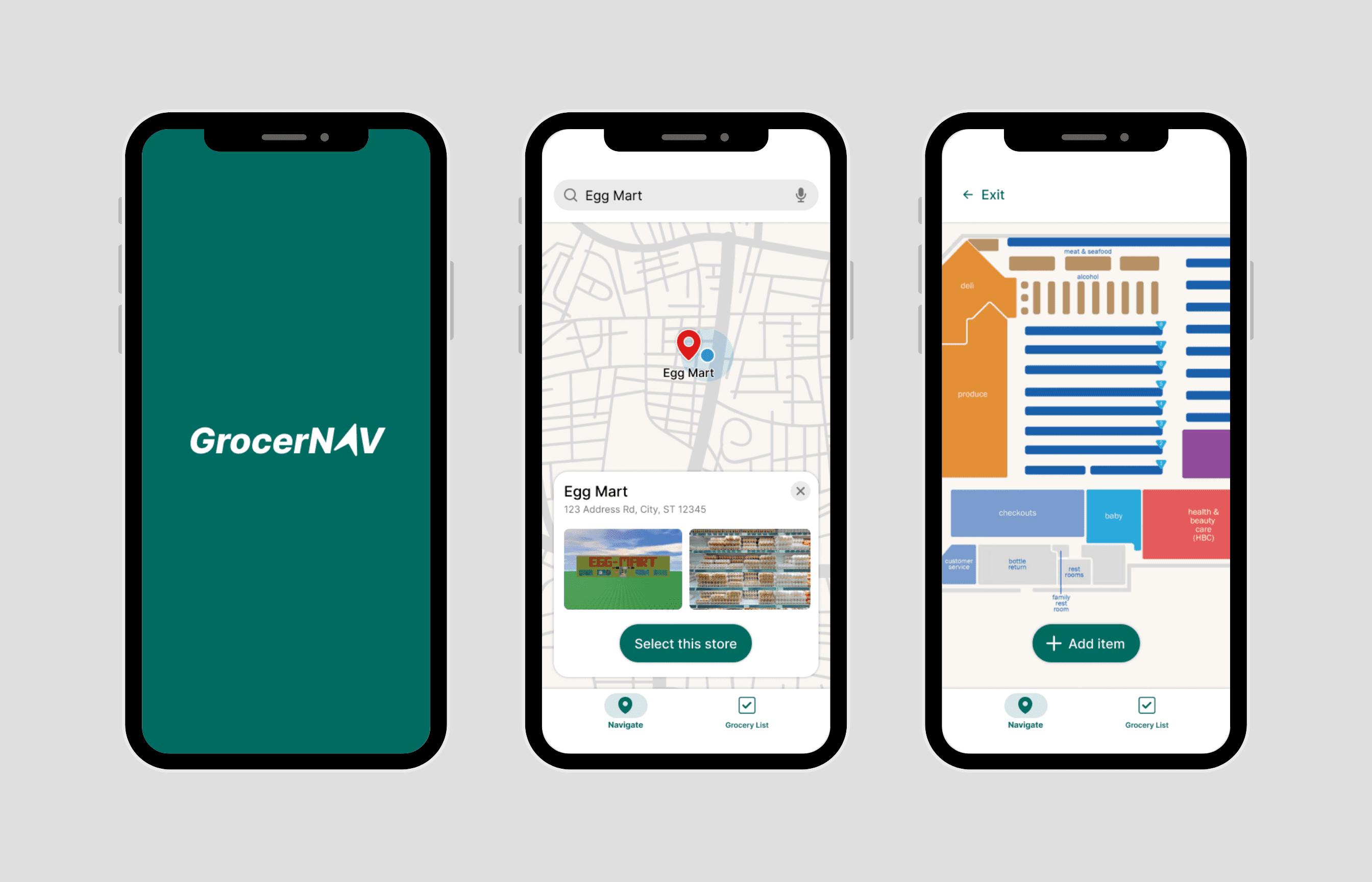
GrocerNAV
Shortcut Grocery Shopping
UI/UX Designer
April 2025 - Ongoing
Note: This project is part of the Google UX Design Professional Certificate.
GrocerNAV is a grocery store navigation app that helps users locate items, making the shopping experience efficient and effortless. Using insights from competitive audits and usability testing
What's the Problem?
As an off-campus university student without a meal plan, I frequently buy groceries to sustain myself.
As a directionally challenged person, I also frequently get lost while buying groceries, circling the store numerous times just to find a single item :(
This experience isn't unique to me. Navigating grocery stores can be a frustrating experience for many shoppers. Stores are often organized in an unintuitive way, with products moved frequently to encourage aisle browsing rather than shopping efficiency. This can lead to customers expending more time and/or money than they originally planned. For those with financial, time, or mobility constraints, the problem is even more pronounced, making grocery shopping stressful instead of convenient.
All of this highlights the need for a navigation tool to help people find their grocery items quickly and easily.
Before brainstorming for my product, I wanted to research existing products on the market. I conducted a competitive audit on four products with similar navigation functionality.
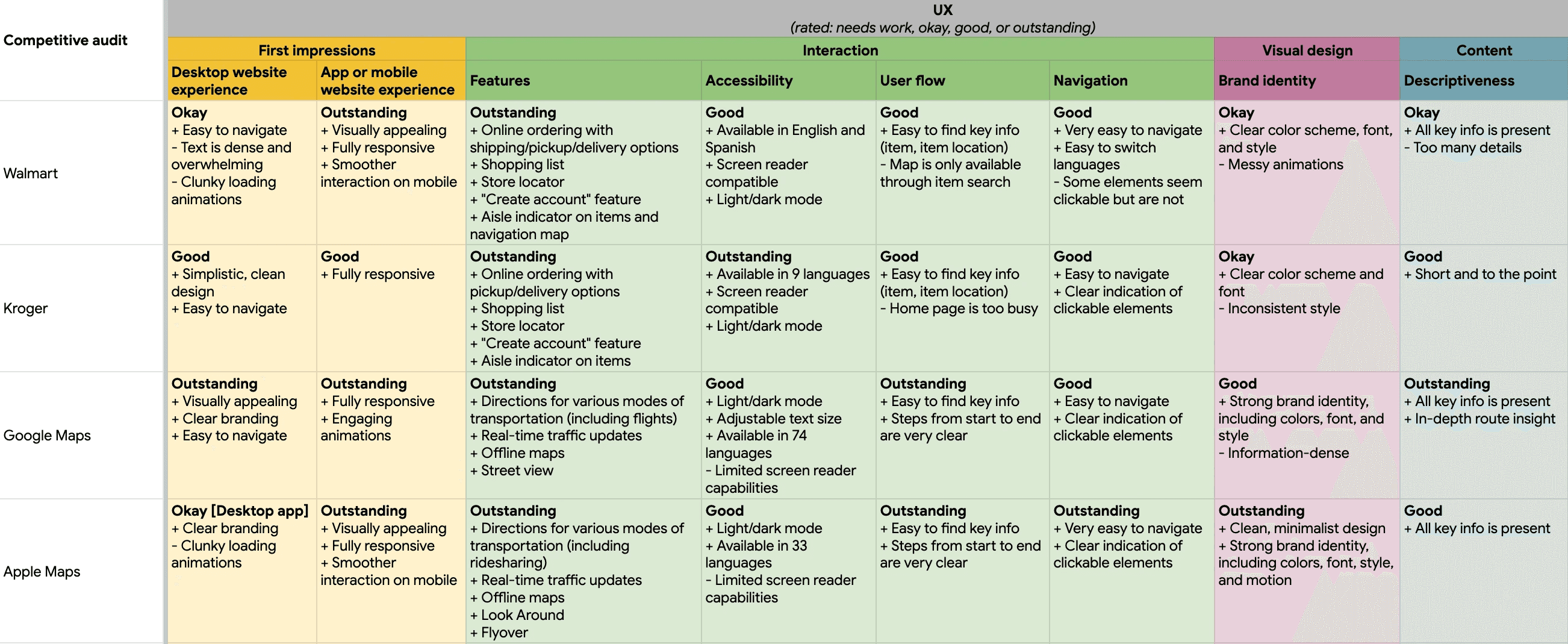
Here are the key strengths and weaknesses I discovered:
+ Integrated shopping lists → seamless item searches (Walmart and Kroger)
+ Clear signifiers for interactive elements (Google Maps and Apple Maps)
- Information-dense pages → user confusion and overwhelm (Walmart and Kroger)
- Inability to view store map until an item is searched (Walmart)
Let's Ideate!
After the feedback I received in my usabiilty testing, I realized I got overzealous I created a user flow map covering all the MVP features to guide my design process:
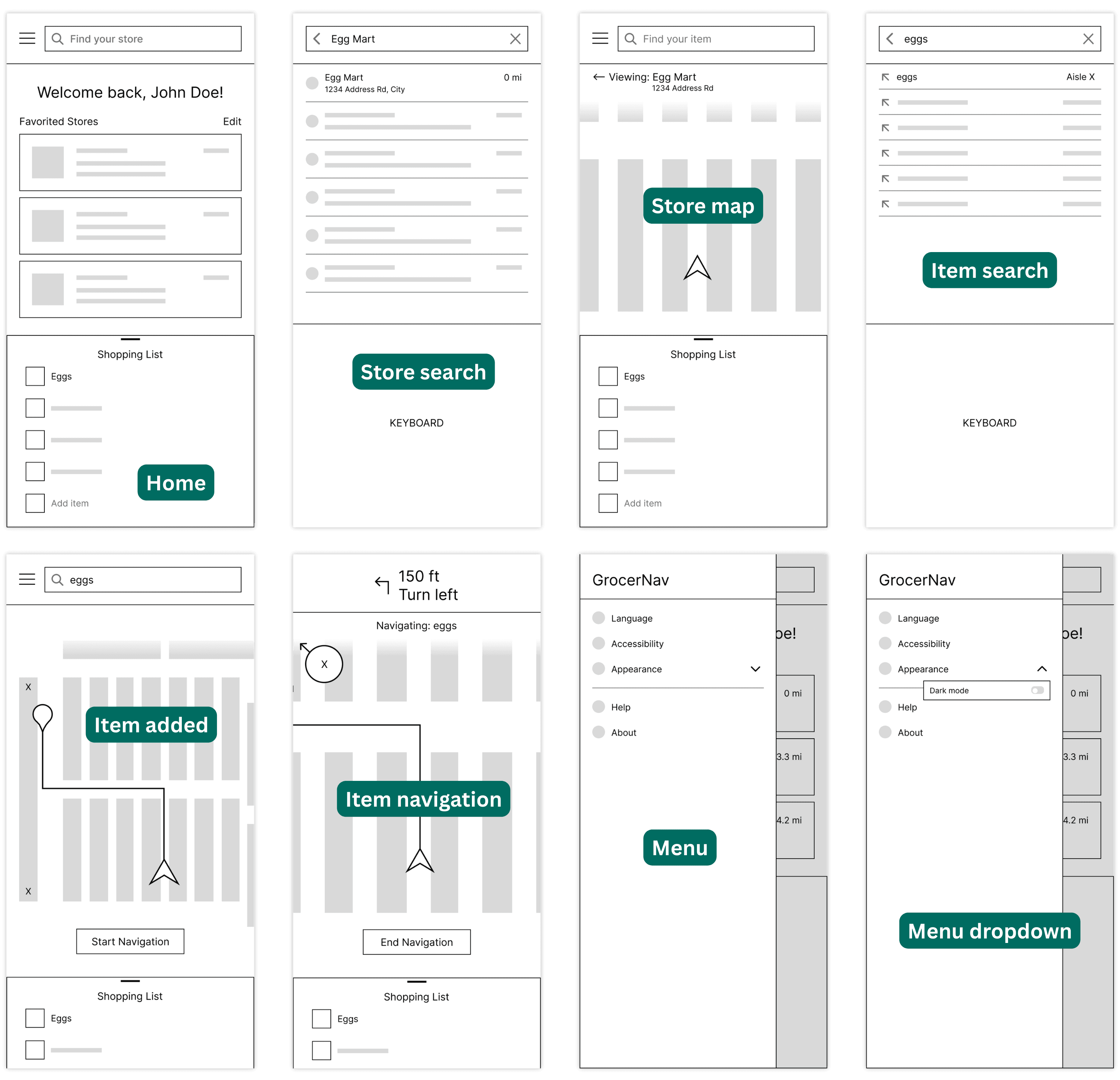
After the feedback I received in my usabiilty testing, I realized I got overzealous I created a user flow map covering all the MVP features to guide my design process:
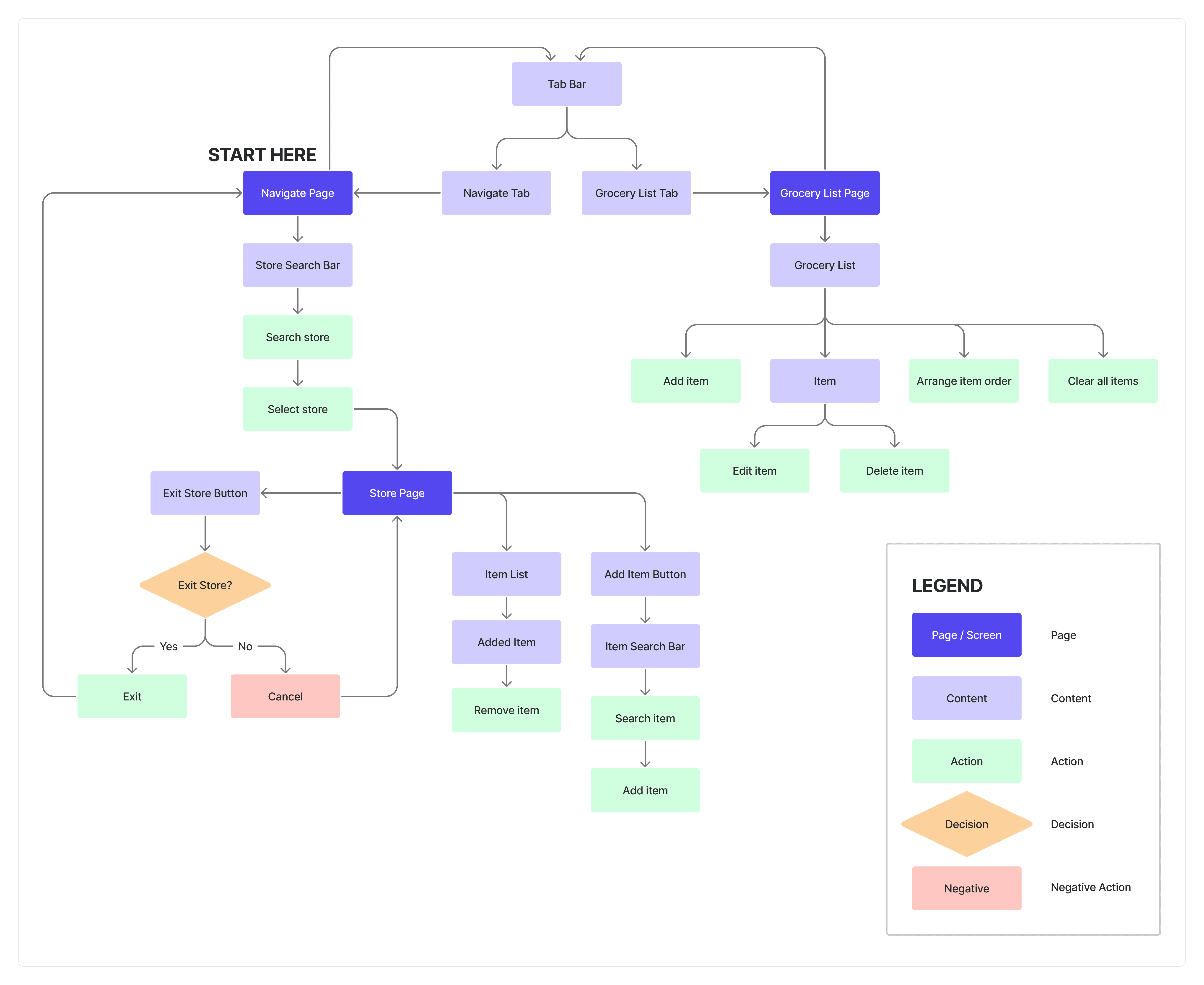
and were refined into digital wireframes!
lorem ipsum type shit
Final Stages: Prototyping
Design system:
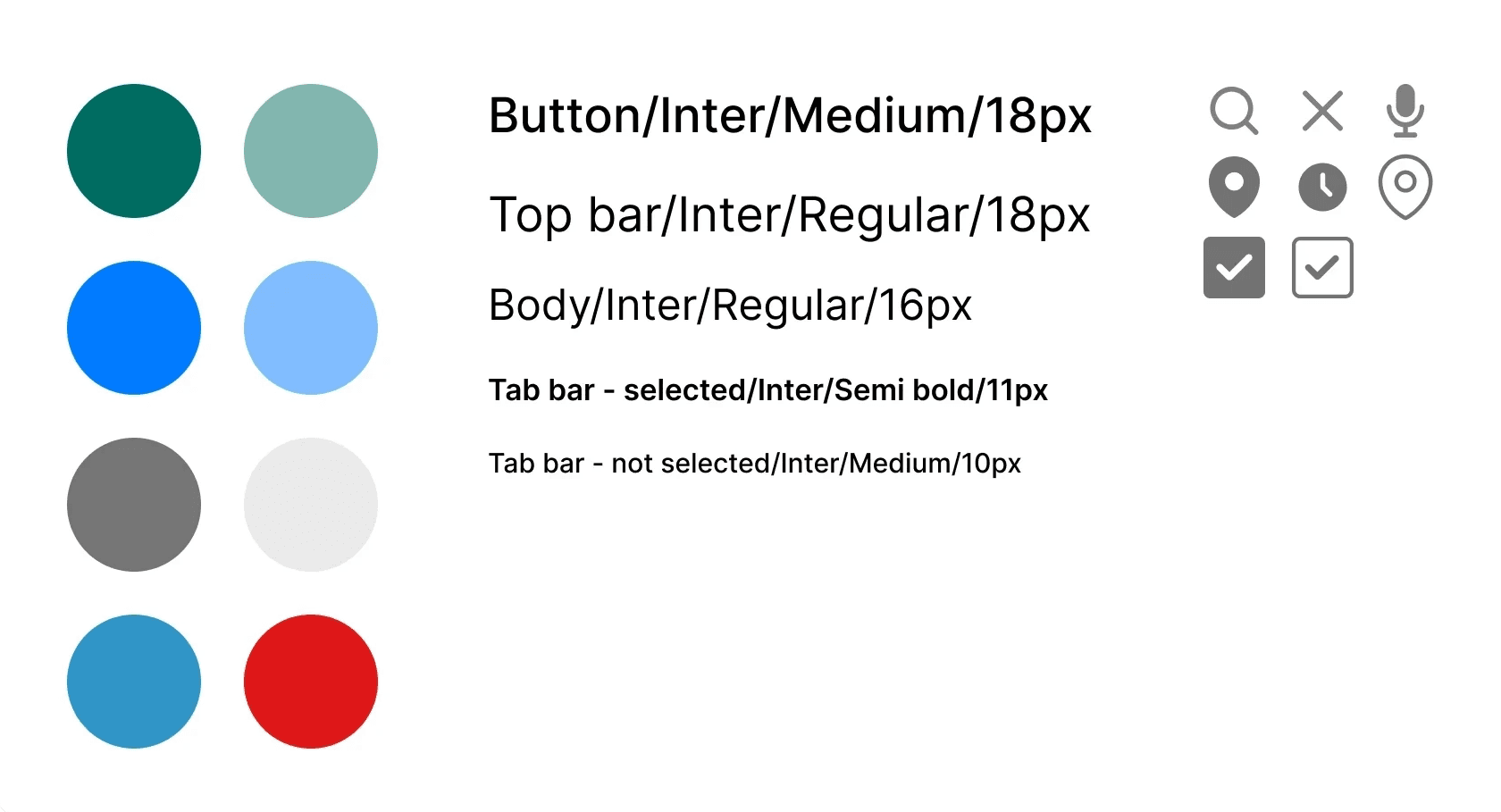
Bonus: Logo design evolution!

Now… onto my favorite part: the high-fidelity protoype! Below showcases some key pages/features.
Sign in/sign out:

Filtering and sorting:

Favorite a listing:

Creating a new listing:

Profile page:

Here's the full Figma file for more of my prototyping process: OwlMart Figma File
What Now?
Our MVP officially deployed February 3rd, 2026! 🎉
Since then, I've been wireframing some post-MVP features, including buyer requests and a messaging system. OwlMart is currently in launch phase, with our team working hard on marketing across campus.
Here's some flyers my Product Manager and I collaborated on designing!
Growth 🌱
After some reflection, here are my key takeaways:
1) The design process is rarely linear and is always iterative. I frequently returned to early sketches as new constraints and insights emerged throughout the process.
2) Adaptability is a core design skill. In my time working closely with the developers, I realized that implementation rarely matches the designs 1:1. I learned to adjust my work when certain elements were not technically feasible, balancing user experience goals with practical limitations.
Overall, seeing my designs come to fruition has been incredibly rewarding, and I'm so thankful to my product team for making this possible :)